Test data, from your schema
Test data for SQLite and PostgreSQL, from your existing schema.
sqlseed fills existing tables with generated data. It infers rules for common columns such as names and email addresses, and lets you define application-specific values and relationships in Python or YAML. Core runs offline; AI is optional.
Open the Web guide Start with Python
Choose how to use it
Use a Python 3.10+ virtual environment and install the entry point you need. The four interface packages use the same offline Core and install it as a dependency.
-
Python API
Generate data from Python or YAML rules with the offline Core.
python -m pip install sqlseed -
Web workbench
Edit rules, preview data, and review runs in a browser.
python -m pip install sqlseed-web -
Command line
Inspect, preview, fill, create templates, and replay snapshots.
python -m pip install sqlseed-cli -
AI assistance
Ask a model to suggest, analyze, or repair rules.
python -m pip install sqlseed-ai -
MCP tools
Generate rule-driven YAML and execute fills through an MCP client.
python -m pip install mcp-server-sqlseed -
Support and limits
Check database support, constraint handling, write behavior, and reproducibility.
For every entry point, before writing data.
AI installs CLI for its additional commands. Web's ordinary workflow works without
AI. Model-assisted MCP tools are a separate entry point provided by sqlseed-ai[mcp];
mcp-server-sqlseed does not require a model service.
These pages describe version 0.2.6, using the five-package layout introduced in 0.2.4. Check Releases for publication status. Upgrading an older installation? Read the migration guide. For source candidates or optional dependencies, see installation.
Generate your first data
After installing sqlseed, save this as demo.py in a new directory and run
python demo.py. It creates a SQLite table and adds 100 users, with no repository
checkout or external database server:
import sqlite3
from contextlib import closing

import sqlseed

with closing(sqlite3.connect("demo.db")) as conn:
    conn.execute("""
        CREATE TABLE IF NOT EXISTS users (
            id INTEGER PRIMARY KEY AUTOINCREMENT,
            name TEXT NOT NULL,
            email TEXT NOT NULL
        )
    """)
    conn.commit()

result = sqlseed.fill(
    "demo.db",
    table="users",
    count=100,
    provider="faker",
    seed=42,
)
print(result.count, result.errors)  # 100 []
Faker is included with Core. Each run appends another 100 rows; it does not clear
the table. Check both count and errors, because a failed run may retain earlier
committed batches. See support and maintenance for
constraint support, write behavior, and reproducibility conditions.
Try the browser or terminal
With sqlseed-web installed, run:
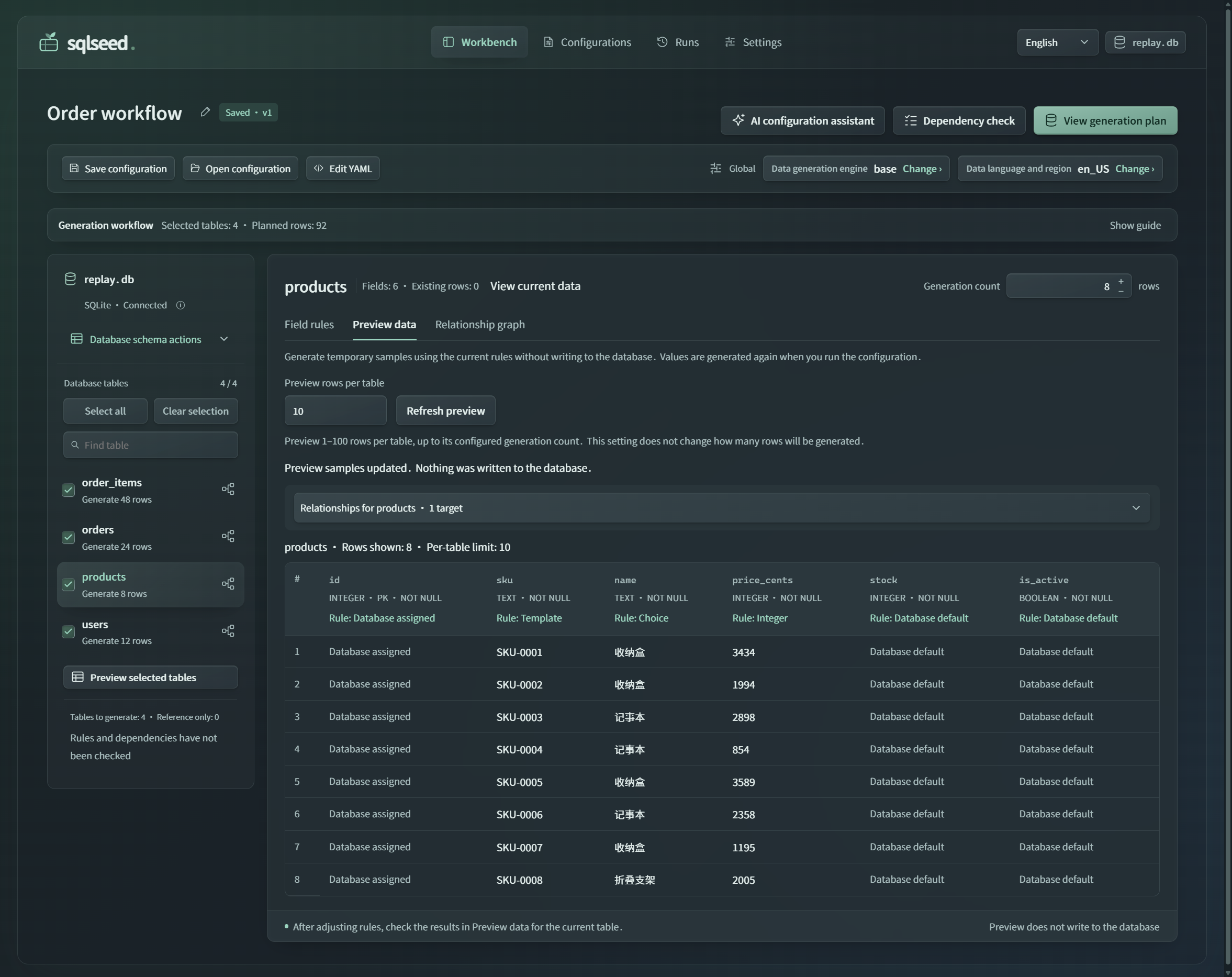
Open http://127.0.0.1:8630, connect to demo.db, select tables,
edit rules, and preview before generating. The command is included with the package;
no custom launcher is required. Save configurations, inspect table relationships,
and review per-table results in run history. The interface supports English and
Simplified Chinese, with light and dark appearances.
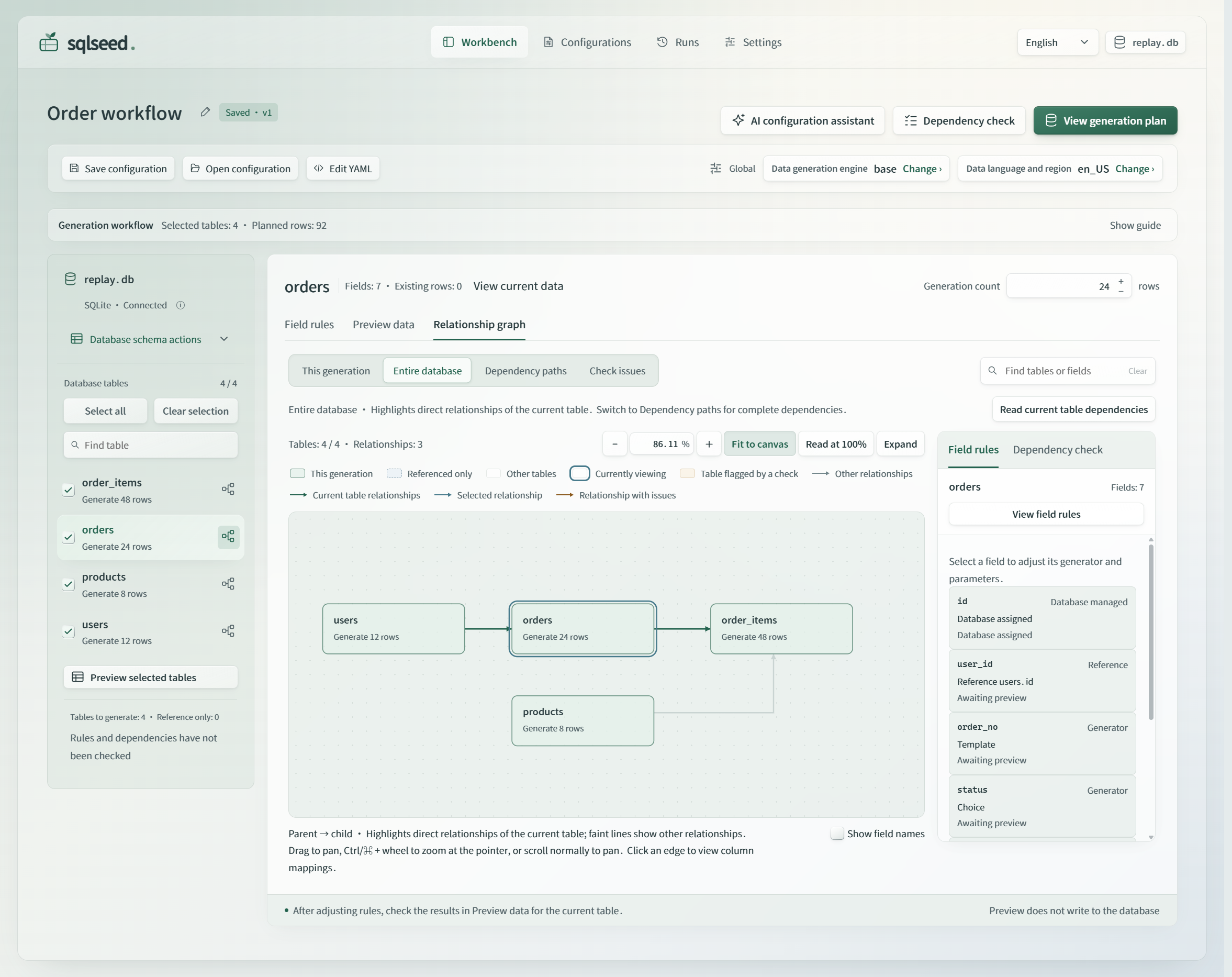
The actual released 0.2.5 interface. Open the full-size PNG or see the read-only sample preview in the dark theme. Follow the Web guide for setup and workflow details.
With sqlseed-cli installed, use the same database:
sqlseed inspect demo.db --table users --show-mapping
sqlseed preview demo.db -t users -n 5 --provider faker
sqlseed fill demo.db -t users -n 100 --provider faker --no-ai
Next steps
- User guide: YAML rules, generators, expressions, and multi-table configuration.
- Python API reference: functions, configuration models, and results.
- Project walkthrough: constraints, failure diagnosis, and replay.
- AI setup: model configuration and optional rule suggestions.
- Architecture: package boundaries and extension points.